Master Generative AI for Film and TV
A very comprehensive introduction to AI that covers an impressive range of techniques and tools. The session covers the theoretical foundations before focusing on practical technical workflows that can be immediately implemented in your work. I'd highly recommend to anyone looking to expand their VFX skillset with AI capabilities.
— Michael, VP Supervisor
Six standalone 4-hour live sessions, one a month: foundations, image, video, 3D, LoRA training and pipeline integration. You build every workflow live with the instructor, on your own GPU or on Runpod. Part 1 is available now as a recording.
The Masterclass at a glance
- Masterclasses delivered
- Professionals trained
- Countries
- Google rating
- 4.9/5
4 hours live
One session a month, on a Monday, in English over Google Meet
Six parts
One topic per part, built hands-on: take one, or all six
12 seats
A small group, so the instructor can help you while you build
Your GPU or Runpod
An NVIDIA GPU with at least 16 GB of VRAM, or a cloud GPU you rent on Runpod
Optional mentoring
A 45-minute 1-on-1 session on your own work, in English or French
Counts toward the Bootcamp
Your fee can be credited toward a Bootcamp seat, up to 499 USD
Recorded
You keep the recording and the course materials
Always current
Models and workflows follow the state of the art at each session
Certificate
Certificate of completion for live attendees
Want to build your own production case over several weeks? The Bootcamp is a 60-hour, project-based program with two instructors and jury reviews. Compare the Bootcamp →
The Masterclass in detail
The six parts
Each part is a standalone 4-hour live session on a Monday, 10:00 AM to 2:00 PM Toronto time (ET). Take one part or the whole series. If you lack a prerequisite, the recording of the earlier part covers it, and we recommend it for the full picture. Each part teaches the strongest open tools at its date, so the exact lineup can change.
Part 1: Foundations · ran September 28th, 2026, available as a recording
How a model learns and generates, the open-source landscape, ComfyUI installed live, a first controlled image, and the ethics and law of generative AI. No prerequisite.
Part 2: Image generation · Monday, October 26th, 2026
Text to image, editing, control and upscaling, with current open image models. Prerequisite: a working ComfyUI.
Part 3: Video generation · Monday, November 30th, 2026
Text to video, image to video, editing, control and upscaling, with current open video models. Prerequisites: ComfyUI and image basics.
Part 4: 3D generation · Monday, January 25th, 2027
Text to 3D and image to 3D, as meshes or Gaussian splats (3D scenes made of soft points), and how to control the result, with current open 3D models. Plus an AI assistant that builds in a 3D application through MCP (Model Context Protocol, an open standard that lets an AI assistant drive other software). Prerequisites: ComfyUI and image basics.
Part 5: LoRA training · Monday, February 22nd, 2027
Train a LoRA, a small add-on that teaches a model your own style, character or effect: the dataset, the captions, a training run on a rented GPU, and how to judge the result. Prerequisites: ComfyUI, image basics, and 25 to 50 images or clips that you own or may use.
Part 6: Pipeline integration · Monday, March 22nd, 2027
ComfyUI in a studio pipeline: colour management, bit depth, EXR and HDR, bridges to other applications such as Houdini and Nuke, cloud workflows, the ComfyUI API and SDK, and MCP connectors that let AI agents drive your tools. Prerequisites: ComfyUI, plus image and video basics.
Dates in your timezone
Upcoming live sessions, 10:00 AM to 2:00 PM Toronto time (ET), shown across timezones.
Monday, October 26th, 2026 · Part 2: Image generation
- Toronto, Canada: 10:00 AM - 2:00 PM
- Los Angeles, USA: 7:00 AM - 11:00 AM
- London, UK: 2:00 PM - 6:00 PM
- Paris, France: 3:00 PM - 7:00 PM
- Auckland, New Zealand: 3:00 AM - 7:00 AM on Tuesday, October 27th, 2026
Monday, November 30th, 2026 · Part 3: Video generation
- Toronto, Canada: 10:00 AM - 2:00 PM
- Los Angeles, USA: 7:00 AM - 11:00 AM
- London, UK: 3:00 PM - 7:00 PM
- Paris, France: 4:00 PM - 8:00 PM
- Auckland, New Zealand: 4:00 AM - 8:00 AM on Tuesday, December 1st, 2026
Monday, January 25th, 2027 · Part 4: 3D generation
- Toronto, Canada: 10:00 AM - 2:00 PM
- Los Angeles, USA: 7:00 AM - 11:00 AM
- London, UK: 3:00 PM - 7:00 PM
- Paris, France: 4:00 PM - 8:00 PM
- Auckland, New Zealand: 4:00 AM - 8:00 AM on Tuesday, January 26th, 2027
Monday, February 22nd, 2027 · Part 5: LoRA training
- Toronto, Canada: 10:00 AM - 2:00 PM
- Los Angeles, USA: 7:00 AM - 11:00 AM
- London, UK: 3:00 PM - 7:00 PM
- Paris, France: 4:00 PM - 8:00 PM
- Auckland, New Zealand: 4:00 AM - 8:00 AM on Tuesday, February 23rd, 2027
Monday, March 22nd, 2027 · Part 6: Pipeline integration
- Toronto, Canada: 10:00 AM - 2:00 PM
- Los Angeles, USA: 7:00 AM - 11:00 AM
- London, UK: 2:00 PM - 6:00 PM
- Paris, France: 3:00 PM - 7:00 PM
- Auckland, New Zealand: 3:00 AM - 7:00 AM on Tuesday, March 23rd, 2027
What you need: your GPU or Runpod
On your own machine
- An NVIDIA GPU with at least 16 GB of VRAM for the hands-on work.
- Part 3 (video): 32 GB of VRAM is ideal.
- Part 5 (LoRA training): a 96 GB card such as an RTX PRO 6000 is ideal.
No suitable GPU? Use Runpod
You can follow every part on a cloud GPU rented on Runpod, with ainvfx-runpod, the open-source toolkit we use internally: one command starts a pod with ComfyUI and the models of the session. You pay Runpod directly for the GPU time you use. New to Runpod, or to the toolkit? Tell us when you enroll, and we help you set it up before the session.
Watching only
You can also attend without building along, on any computer, and rebuild later from the recording.
What's in the Part 1 recording
Part 1: Foundations, as it ran live on Monday, September 28th, 2026. The video runs 3 hours and 2 minutes, with the breaks and waiting times cut. You see the instructor's screen and hear the questions asked during the session.
Chapters
- 0:00:00 Welcome and the plan of the session.
- 0:02:47 Setup: the shell, Git and uv, the manual installation, ComfyUI Desktop as the simpler route, and the model downloads.
- 0:13:34 How models work: from the Turing test to today's generators; neurons, layers and weights; how a model learns by predicting noise and generates by removing it; latent space and the VAE; steps, distillation and quantization; CFG, negative prompts and shift; video models; what models get right and wrong; training from scratch, fine-tuning and LoRA.
- 1:35:29 The landscape: closed platforms and open weights, where models come from, why ComfyUI, partner (API) nodes, GPU memory and cloud GPUs.
- 1:45:07 A tour of ComfyUI: where the model files go, the Nodes 2.0 interface, the console, the node library, custom node packs, templates, and the workflow saved inside each generated image.
- 2:00:29 A first image with Z-Image Turbo: seed, batch, shift, resolution, steps, CFG, samplers and denoise, each tested live, then how to write a prompt.
- 2:34:45 Control: Canny and Depth Anything 3 passes that drive the Z-Image Turbo Fun Union ControlNet.
- 2:45:30 Guided tour, without a live run: LTX 2.5 image to video, SAM 3.1 segmentation, Qwen Image Edit and SeedVR2 upscaling.
- 2:50:11 Ethics and law: licenses for code and for weights, copyright and human input, disclosure rules, training data and lawsuits, and production risks such as shadow AI and where your data is stored.
Course materials
- The session deck: 68 slides, with every source linked and the download link of every model file. It covers ethics and law in more depth than the video.
- The hands-on part uses the official ComfyUI templates, so there is no separate workflow file to download.
Good to know
- Six short on-screen notes correct or complete points made live.
- English subtitles are included.
- Recorded with ComfyUI as of September 28th, 2026. Later versions may look slightly different.
- Watching needs no GPU. To rebuild the hands-on part, you need an NVIDIA GPU with at least 16 GB of VRAM and about 150 GB of free disk space for the models.
Buy the Part 1 recording for 199 USD.
How a session works
- Live and hands-on. Four hours over Google Meet, in English. You build along with the instructor, with short breaks and time for questions.
- Small group. Twelve seats at most, so the instructor can help you during the build.
- Recorded. You keep the recording and the course materials for at least 12 months, to rebuild at your own pace.
- Standard package. Adds a 45-minute 1-on-1 mentoring session after the class, in English or French, on your own workflow or project.
- Ethics built in. Open models first, licenses explained, responsible use in production. Read our statement of AI ethics.
About your instructor
Hello, Bonjour, Kia ora,
I'm a French New Zealander living in Canada. I'm the former Head of Effects at Wētā FX and Houdini teacher at Fx Machina. I hold six AWS certifications, including Machine Learning Engineer and Machine Learning Specialty. I have worked on over 30 projects for the TV and Film industry since the early 2000s, including the Avatar series, Game of Thrones, and Terminator (see my IMDB profile). I've empowered many artists going from XSI/Maya to Houdini. Today, I'm enabling the AI transition.
I love teaching and witnessing that "aha" moment in people's eyes: the excitement of learning and growing. I'm not here to waste anyone's time, and I have plenty to share. Join me; it will be fun, I promise!
Learn more about Adrien.
What our alumni say
Hear from professionals who've taken the masterclass
AInVFX delivers an exceptional learning experience. The masterclass was not only highly informative but also well-structured and thoroughly engaging. As always, when Adrien is behind it, the quality, clarity, and depth of insight are second to none. Highly recommended!
— Vincent, Senior Animator
The most valuable part of this bundle was the mentoring session as we were able to really hone in on areas I wanted to learn about this emerging technology and Adrien had prepped some very specific workflows and info for me. Overall excellent learning experience.
— Jayson, Unreal TD
I would recommend Adrien's masterclass to anyone starting their journey in generative AI. Furthermore, his mentoring sessions provide targeted and invaluable insights that I couldn't find anywhere else.
— Fred, CG Supervisor
Pricing
Choose the option that fits you. Every full-price purchase earns 50% off one future Masterclass session, mentoring session or recording.
Recording
$199 USD
- Recording of a past session
- The session's course materials
- Standalone purchase, no live attendance needed
- Covers a missing prerequisite for a later part
- No certificate (live attendees only)
Best for catching up on a past session or covering a prerequisite at your own pace
Buy a recordingBasic
$399 USD
- One live, hands-on 4-hour session
- Session recording and course materials
- Access to exclusive Discord community
- Certificate of completion (live attendees)
Best for individuals who want a full hands-on session at the most accessible price
Enroll nowStandard
$499 USD
- One live, hands-on 4-hour session
- Session recording and course materials
- Access to exclusive Discord community
- Certificate of completion (live attendees)
- 45-minute 1-on-1 mentoring session
Best for learners who value personalized guidance from a mentor
Enroll nowEnterprise
Custom pricing
- Tailored masterclass experience
- Session recordings and course materials
- Access to exclusive Discord community
- Certificates of completion (live attendees)
- Custom mentoring and support
- Multi-user access for teams
Best for studios and teams needing tailored training and multi-user access
Request a quoteMentoring
$249 USD
- 45-minute 1-on-1 mentoring session
- Available in English or French
If you previously booked a Basic package or need additional support
Book nowInside the sessions
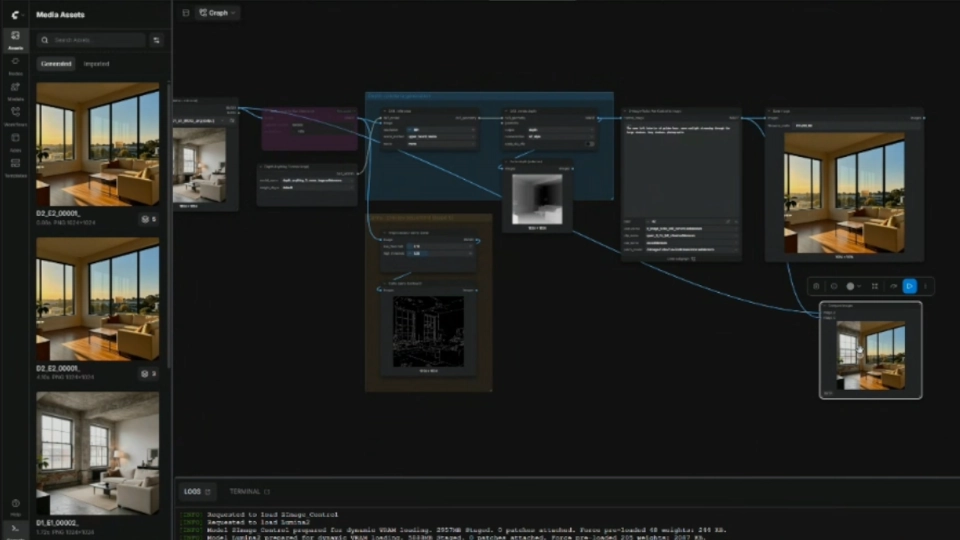
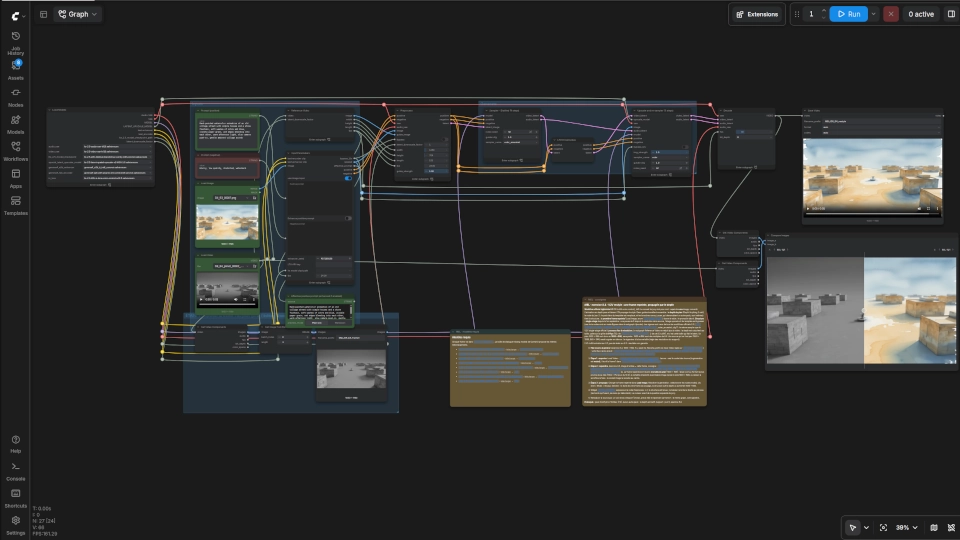
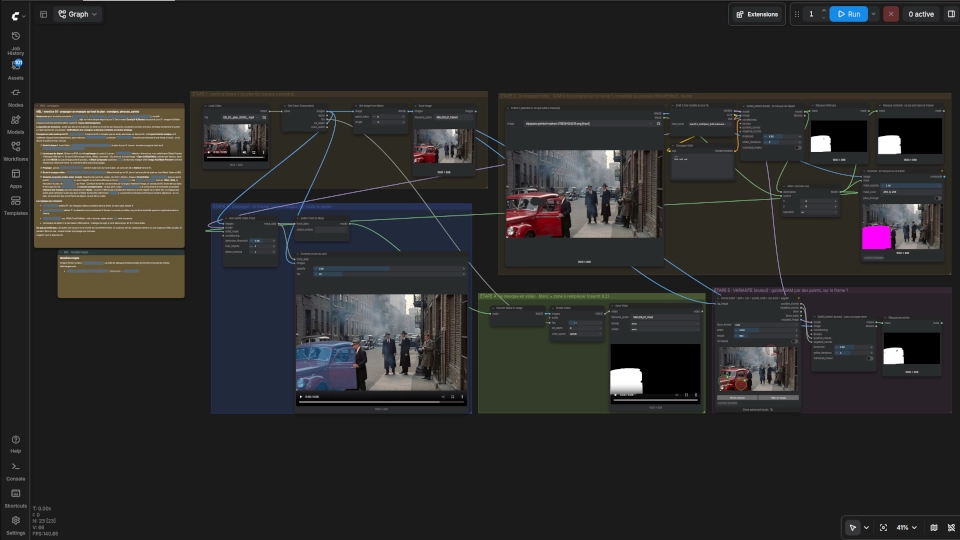
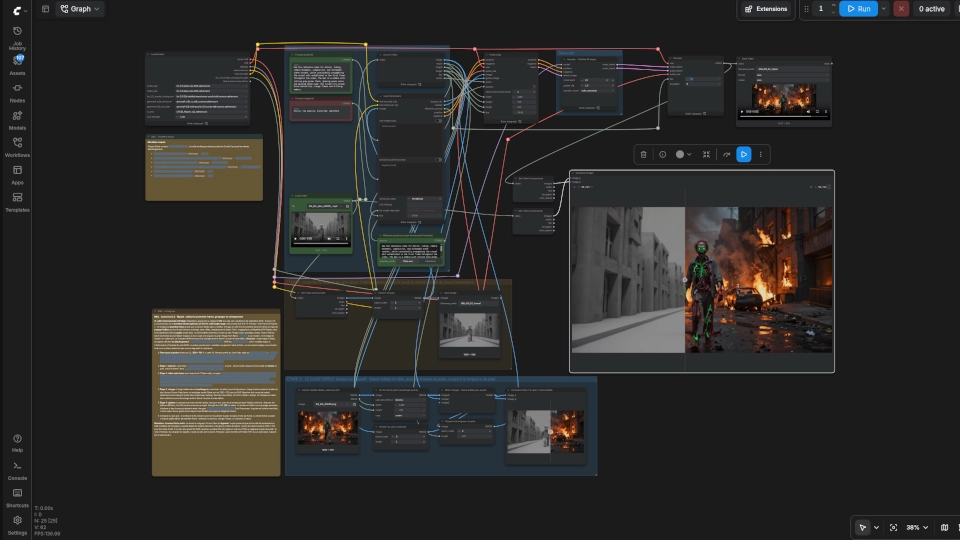
ComfyUI is the core platform we teach and a great environment to prototype with generative models.
Frequently asked questions
Discounts, referrals and Bootcamp credit
- Returning customer: each full-price purchase earns 50% off one future Masterclass session, mentoring session or recording, within 12 months. A discounted purchase earns no new discount. The Bootcamp is excluded.
- Referrals: once you have paid in full for any item, each person you refer who completes a paid purchase earns you one free item: a recording, a 45-minute mentoring session or a Masterclass session (Basic). One reward per person referred, valid for 12 months. The Bootcamp is never a reward.
- Bootcamp credit: one Masterclass, mentoring or recording purchase from the 12 months before you enroll in the Bootcamp is credited toward your seat, up to 499 USD.
Is this Masterclass right for you?
It is ideal for:
- VFX artists and creative professionals who want to bring AI into their work
- Filmmakers and content creators exploring new ways to produce
- Technical directors evaluating AI for their studio
- Anyone curious who wants to learn by doing
It is not the right fit if you want a watch-only lecture, or if you do not enjoy tools that change fast. You don't need to be convinced that AI belongs in the industry, but you do need an open mind.
FAQ - Content
What level of experience do I need?
None for Part 1, which starts from zero, installation included. Later parts build on earlier ones: each lists its prerequisites under The six parts. If you lack one, the recording of the earlier part covers it.
Which tools and models do you teach?
ComfyUI throughout, with the strongest open models at each session's date, refreshed before every delivery. Open models first, so you can run everything on hardware you control. The fundamentals carry over when models change.
What about closed models, deepfakes and copyright?
Part 1 covers ethics, licenses and the law, and its course deck links every source. These threads run through the whole series: we use AI to extend your own work, not to copy someone else's.
What comes after the Masterclass?
The Bootcamp: 60 hours over several weeks, building your own production case with two instructors, a peer cohort and jury reviews. One Masterclass-line purchase from the last 12 months counts toward a Bootcamp seat, up to 499 USD. Discover the Bootcamp.
FAQ - Logistics
What equipment do I need?
An NVIDIA GPU with at least 16 GB of VRAM, or a Runpod pod set up with our ainvfx-runpod toolkit. Video and LoRA training need more: see What you need, above.
Do I need to install anything before the class?
Not for Part 1: the installation is part of the session. From Part 2 on, have ComfyUI working before you join, on your machine or on a Runpod pod.
What if I miss the live session?
You get the recording and the course materials, available for at least 12 months. Anyone can also buy a past session's recording on its own (see Pricing).
Could I appear in published excerpts of the session?
Possibly: we may publish short excerpts to show how a session runs. To stay out, keep your camera and microphone off, or tell us in writing at any time and we leave you out. Details in section 5 of our Terms & Conditions.
Do you offer a certificate of completion?
Yes, for live attendees. Recording buyers and no-shows do not receive one, because we can only vouch for attendance we saw.
What timezone are the sessions in?
Toronto time (ET), 10:00 AM to 2:00 PM. The dates section shows each session across timezones, including around the clock changes in Europe and North America.
FAQ - Pricing and enrollment
How do I pay?
Securely through Stripe: all major credit cards, plus Apple Pay and Google Pay.
What is your refund policy?
Cancel 14 days or more before the session for a full refund. If we ever cancel a session, we tell you at least one week before, and you choose between a full refund and a transfer to another session. Details in our Terms & Conditions.
What does the Recording option include?
The recording of a past session with its course materials, for 199 USD. Within 24 hours of payment, you receive a link to a shared folder with the video and the session deck. It needs no live attendance and covers a missing prerequisite. It includes no certificate, and it is personal and non-refundable once delivered.
How does the 1-on-1 mentoring work?
With the Standard package, we contact you after the session to schedule your 45-minute mentoring session at a time that suits you. You can also book standalone sessions at any time.
Do you offer group bookings?
Yes: the Enterprise package covers teams. Contact us to discuss your needs.