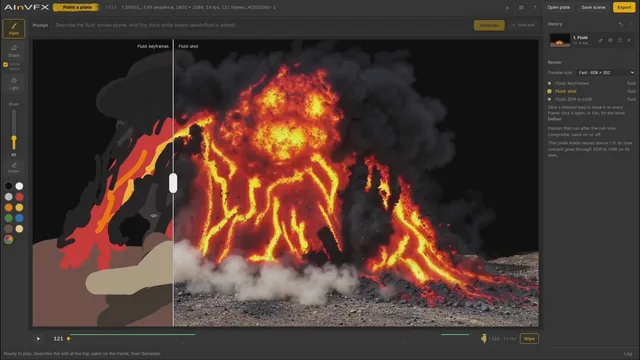
On 10 November, Paint a plate won the Open Weights Only category of Comfy's Open Source Higgsfield contest. We built that version in two weeks to show one idea: you paint on the first frame of a plate, the filmed footage a VFX shot starts from, and the edit carries through the shot. The contest was an opportunity for us to prototype a new way of working with ComfyUI: how a VFX artist could work with generative AI on a show. Once the contest was over, we wanted the app to be more than a proof of concept.
So we ran some tests. A lot of tests. From an RTX PRO 6000 to a laptop with 16 GB of VRAM, on EXR sequences, with long renders and every mistake that happens in a working day. And we fixed what broke. Version 1.12 is out today, with a one-hour deep dive that shows every step. It is still free and open source, built on ComfyUI, with open-weight models only.
🎬 Watch the deep dive
The video runs 63 minutes. The first 42 minutes run on a laptop with an NVIDIA RTX 4090 and 16 GB of VRAM. The rest runs on an RTX PRO 6000 with 96 GB of VRAM, rented on Runpod. The chapters:
- 0:53 Install on your own machine
- 6:08 A tour of the page
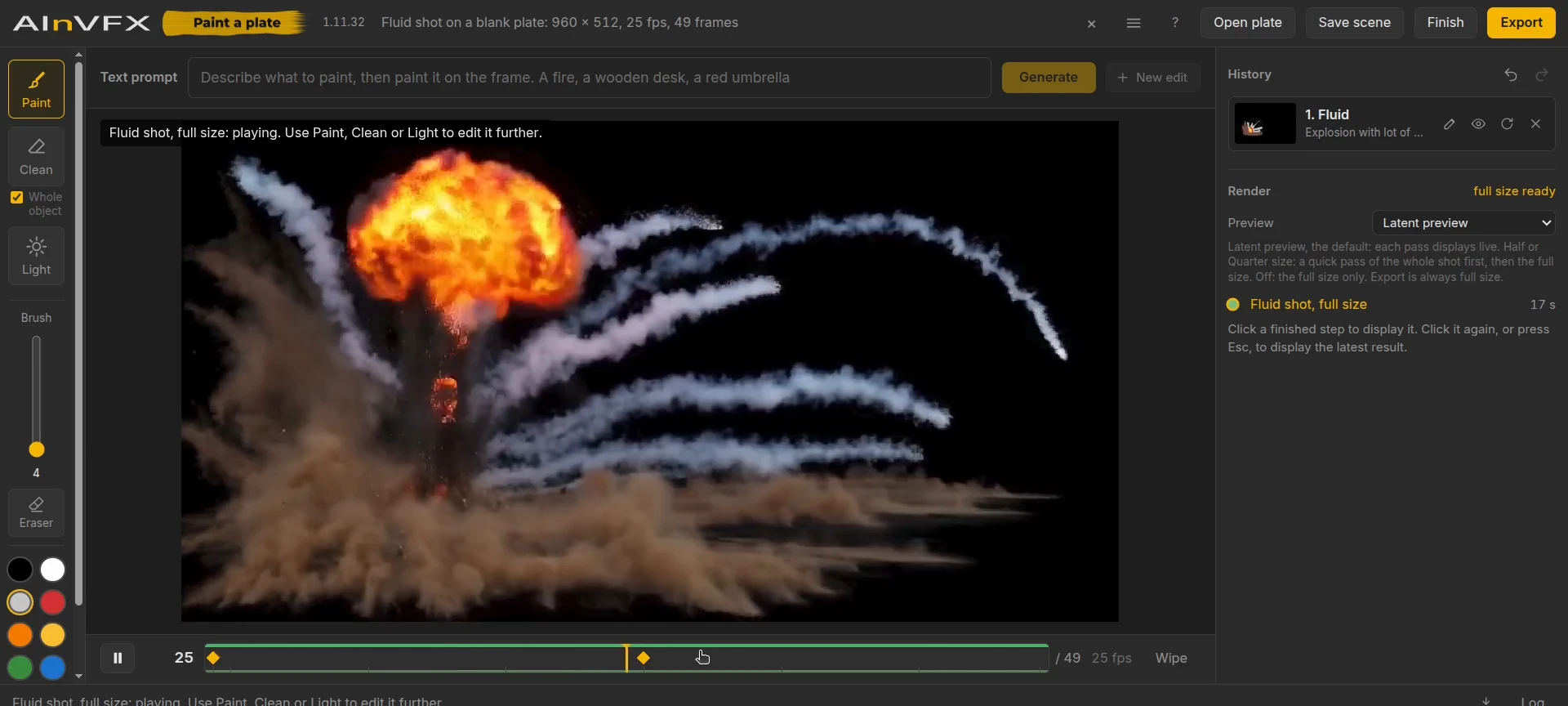
- 7:50 Paint a fluid on a blank plate
- 16:52 SDR to HDR and the wipe
- 19:56 Export and the ComfyUI graphs
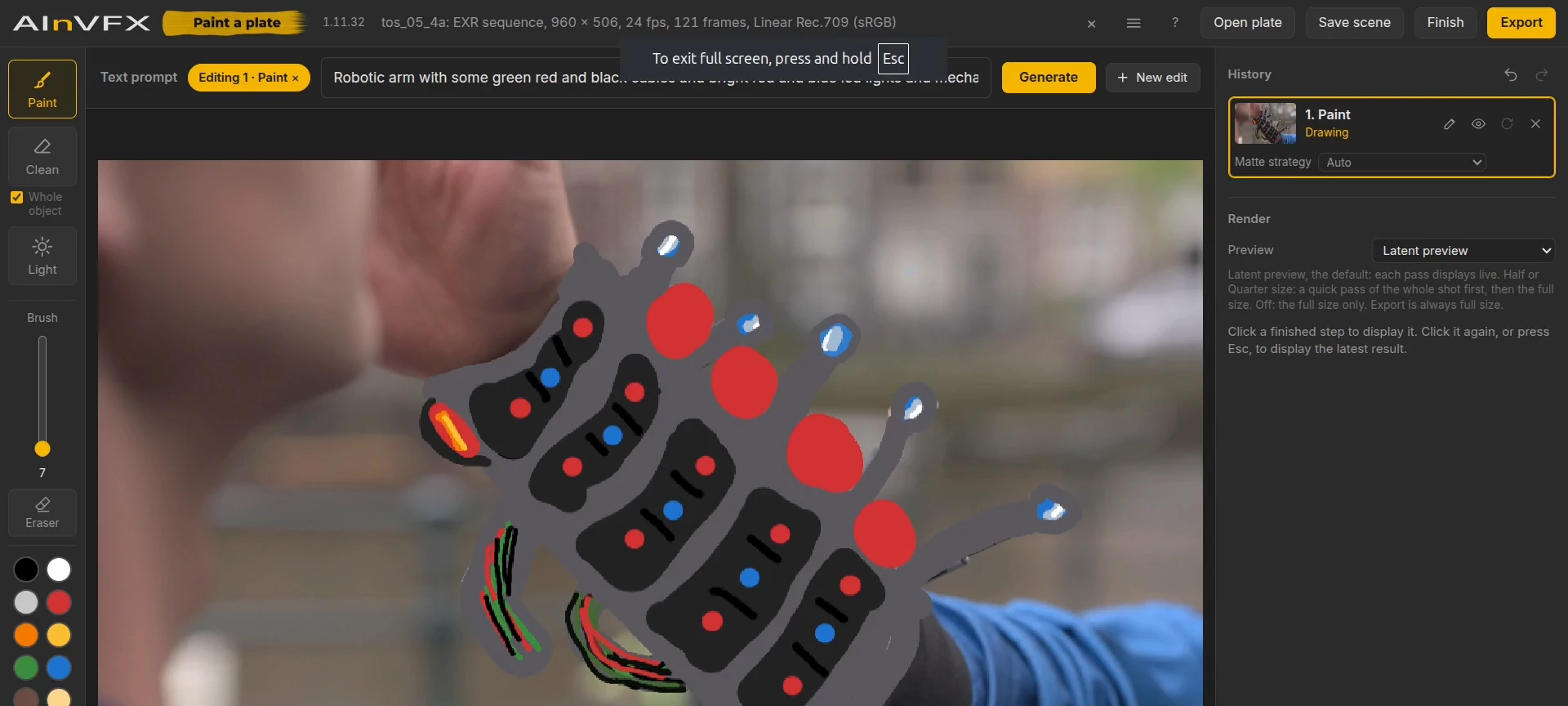
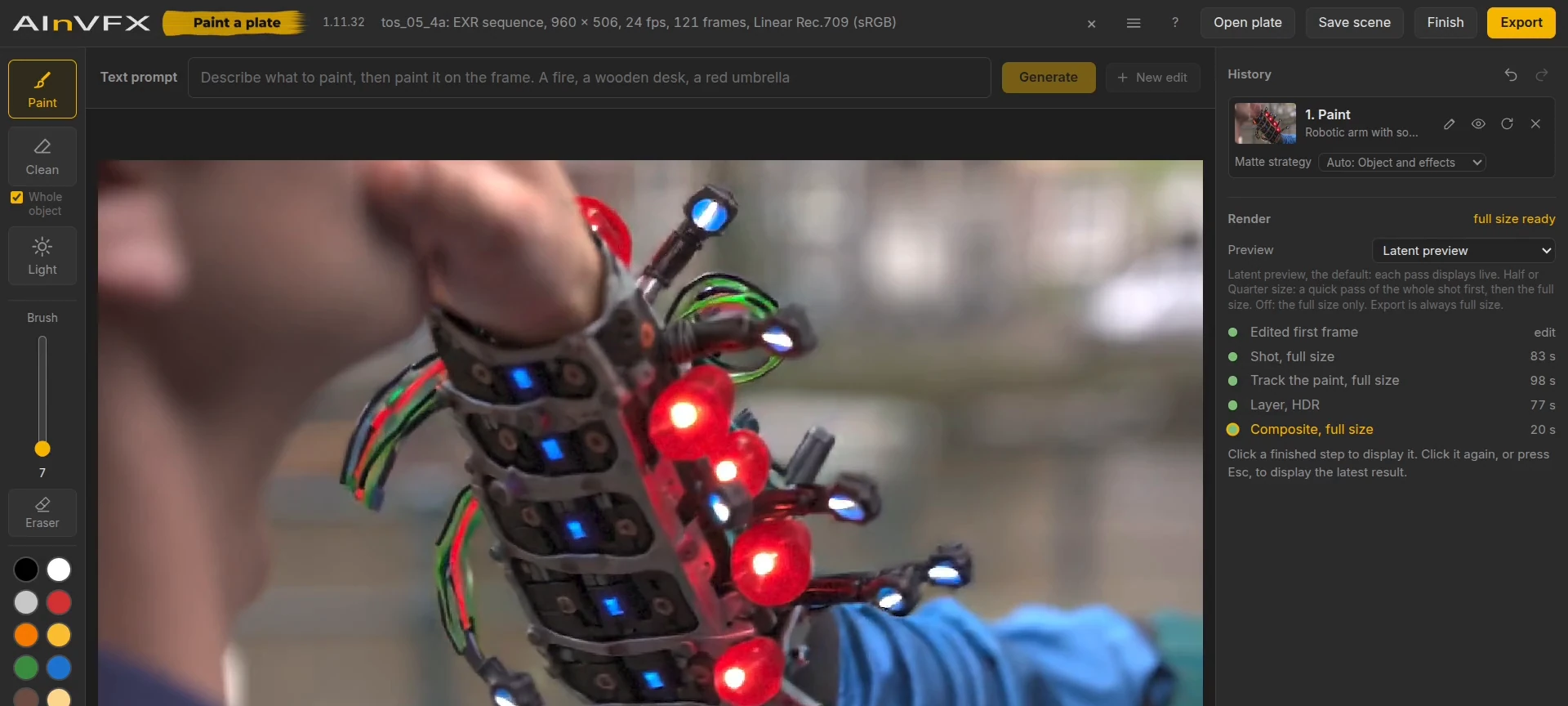
- 23:32 Paint on an EXR sequence: a robotic arm
- 30:03 Tracking and the matte, with SAM 3.1
- 35:03 Export layers for compositing
- 40:16 Colour with OCIO: Plate and View
- 42:40 Run it on Runpod
- 49:04 Layered edits on a 2D plate
- 52:33 Upscale, then save the scene
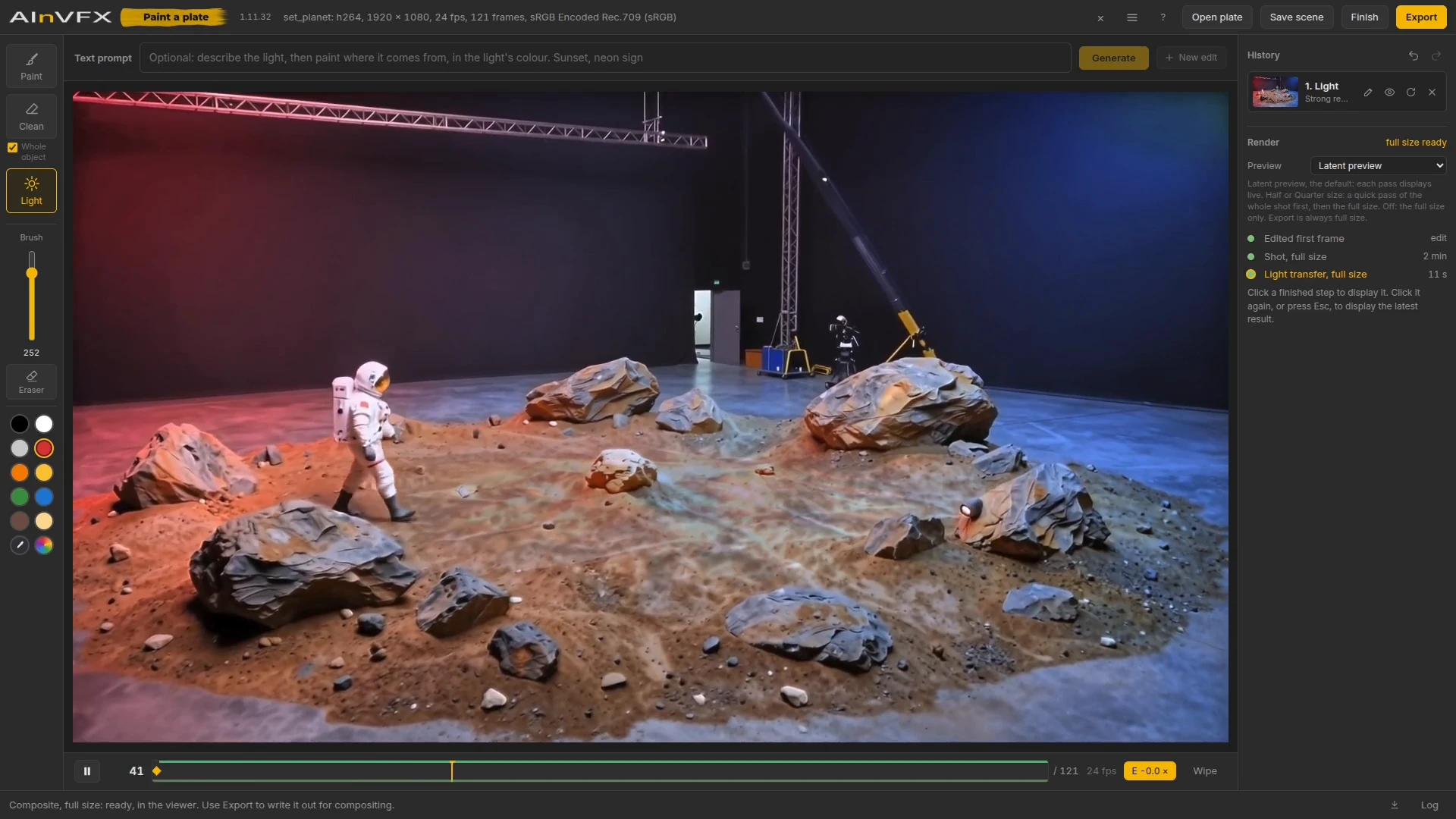
- 55:02 Relight a scene with Light
- 57:22 Help, X-ray and Matte strategy
The recording was made on version 1.11.32. Version 1.12 adds more fixes, and notes on screen say where it behaves differently.
🖌️ What it does on a shot
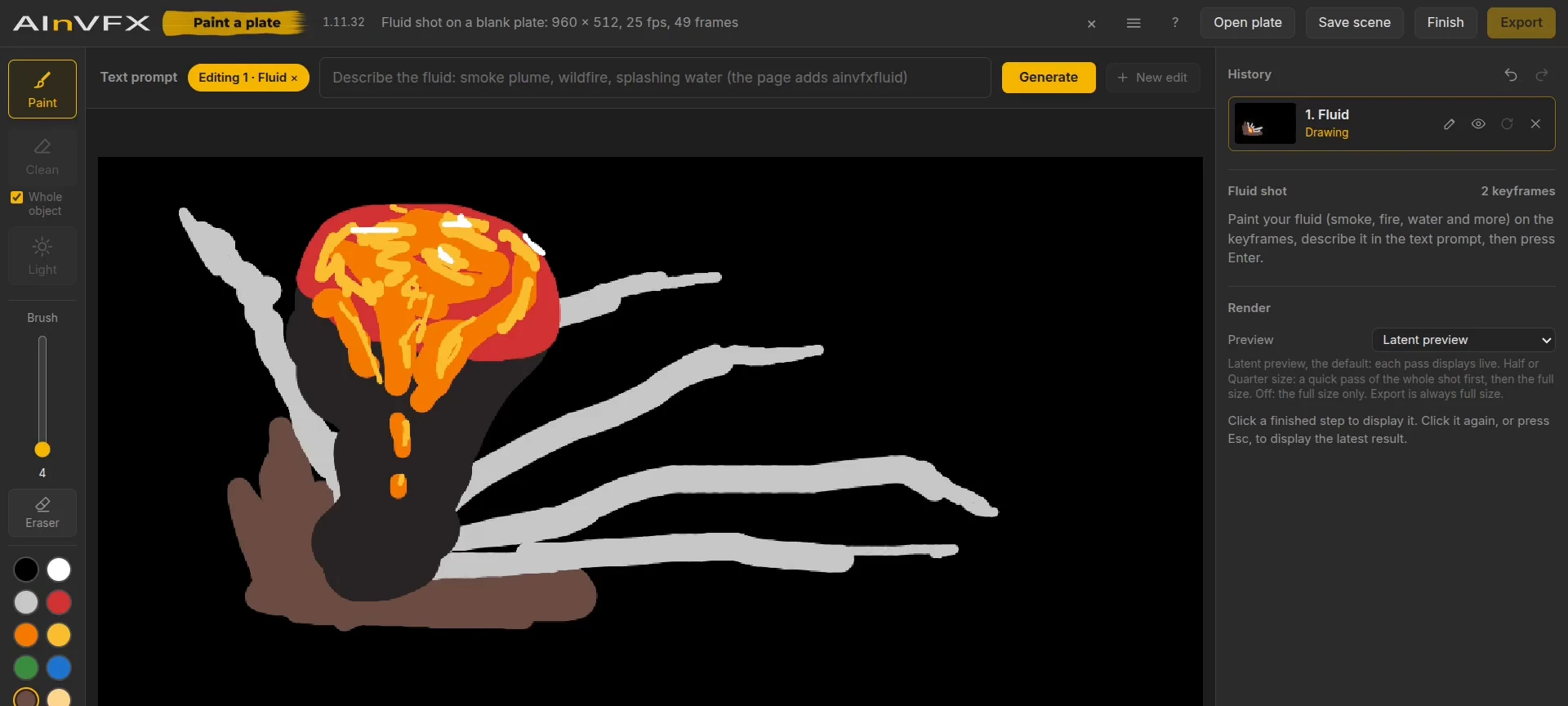
Paint a plate is an app for AI in VFX work that runs on top of ComfyUI. You don't need to open a node graph: you paint, type a few words and press Enter.
- Clean plate and object removal. A clean plate is the same shot without something: a rig, a sign, a person. With Clean, you paint over what has to go. SAM 3.1 finds the object and tracks it through the shot, and LTX 2.5 fills what was behind it. With Whole object on, Clean can also remove the object's cast shadow.
- Paint-ins and set extensions. With Paint, you draw the new element on the first frame and name it. FLUX 3 Image Klein makes it in the style of the plate, and LTX 2.5 carries it through the shot. The same tool extends a set past the edge of what was built.
- Green screen replacement. Paint over the green screen and describe the environment. LTX 2.5 carries the new background through the shot, and every pixel outside the matte stays the plate's own.
- Relighting. With Light, you pick a colour and paint where the light comes from. A small dab places a source, such as a lamp or the sun, and a dark stroke adds a shadow.
- Smoke, fire and water. Start from a blank plate and paint flat colours on a few keyframes. ainvfx-fluid, our own IC-LoRA (a small add-on model) for LTX 2.5, turns them into a fluid shot. You can then paint over it like any plate.
- HDR and 4K. The Finish menu has two features. SDR to HDR turns a standard result into half-float EXR frames in ACES2065-1. Upscale restores the result with SeedVR2 7B, from the plate's own size up to 3840 x 2160.
- Review as in RV. The viewer works like OpenRV, the open-source review player of the VFX industry: colour management through OpenColorIO (OCIO), a wipe between steps, a Colour Inspector that reads a pixel's own values, and an X-ray that tints what the edits changed.
- Export for compositing. The shot comes back in the plate's own format, with every untouched pixel identical to the plate. The export zip holds the plate, the layer, the matte and the composite, so plate x (1 - matte) + layer x matte rebuilds the result in your compositing software.
The deep dive shows most of these. For a set extension and a green screen, watch the four-minute showcase.
🆕 What changed since the contest
Version 1.11 was the contest entry. These are the changes that make 1.12 a tool you can now test in production.
- It runs on a 16 GB GPU. At the contest we recommended 32 GB. Now 16 GB is the tested minimum: every tool runs there. On our laptop, with an NVIDIA RTX 4090 and 16 GB of VRAM, a fluid shot of 49 frames at 960 x 512 takes about 17 seconds once its model is loaded, and its HDR version about 36 seconds more. More VRAM is faster, and a plate above 2K runs best on a 96 GB GPU such as the RTX PRO 6000.
- Nothing waits. Generate stops whatever is rendering and runs what you just asked. Esc stops everything. You try an idea, change your mind, and try the next one, with fast feedback.
- Edits are layers. Each edit works on what the edits below it made. You can change one, turn it off or try another seed. A saved scene opens again from its cache, with nothing to generate again.
- A matte you can check. Each Paint has a Matte strategy to improve the tracking and the final composite: the object alone, the object with its smoke, light or haze, or the whole shot. The X-ray shows the matte on the frame. If the tracking loses the object, check the log and try another Matte strategy.
- Finish is part of the render. SDR to HDR and Upscale are steps that play in the viewer as they are made. Once one is enabled, press Enter to run it.
- More export options. A dialog lists what the render made: the plate, the shot, the layer, the matte and the composite, at each stage. A movie becomes ProRes 4444 XQ with its colour tags, timecode and audio. An EXR sequence stays an EXR sequence.
- A ComfyUI graph for every step. Tick ComfyUI graph in the export, and the zip holds the workflows that made the shot, with their source images: one for the fluid shot, one for the edits and one for Finish. Each reads the output from the previous one. Open them in ComfyUI to reproduce what you did in Paint a plate, and take the workflow further.
- Tested like software. Every change comes with a test. The suite has 571 unit tests, 425 tests of the page's logic and 152 flows that drive the real page, and it runs on every push.
🧭 Where it fits, and where it stops
This is where we see AI for VFX work today: where a first frame can describe the change. That means plate cleanup, an added element, a new background, a new light, or a stock fluid element for compositing. It is fast enough to iterate before a review.
It still has clear limits. The repository gives the details:
- For Paint, Clean and Light, you paint on the first frame only. An object that enters later, or leaves the frame and comes back, is hard to handle. A fluid shot on a blank plate takes several keyframes.
- The matte follows what SAM 3.1 can track. Thin smoke, or an object that crosses the edge of the frame, can lose its matte on some frames.
- Long and high-resolution shots need more VRAM. Shots up to 20 seconds, or 4K plates, need a GPU such as an RTX PRO 6000, and take longer to process.
- There are no utility passes beyond the matte yet: no depth, no normals, no IDs.
If you need hero effects with collisions, or frame-accurate control, a traditional VFX approach is still the better choice. For the rest, try Paint a plate on your shots and see what you can paint.
💻 Install it
You need ComfyUI v0.45.3 or newer with the ComfyUI-LTXVideo nodes, an NVIDIA GPU with 16 GB of VRAM or more, 64 GB of RAM and 79 GB of disk for the models.
- With ComfyUI Manager (recommended). Search for Paint a plate and install it with ComfyUI-LTXVideo.
- With git. Clone both repositories into ComfyUI's
custom_nodesfolder. - On Runpod, when you want to rent a GPU on demand. One script installs ComfyUI, downloads the models and starts the page.
The repository gives every step, and lists each model file with its link and its folder. Our 23 test plates are on Hugging Face, all synthetic and under CC BY 4.0, so you can use them to experiment.
📜 Licenses
Paint a plate's code is under Apache 2.0: you can read it, change it and use it in your pipeline. Each model keeps its own license. For example, the LTX-2.x Community License asks for a paid license from 10 million USD of annual revenue, and SeedVR2 is under Apache 2.0. The repository's table gives the license of every model. This is a summary, not legal advice: read each model card before you use a result for a client.
❓ Questions we often get
Can AI make a clean plate in ComfyUI? Yes. Clean removes an object you paint over and rebuilds the plate behind it, on every frame. The result comes back with a matte, so you can keep the removal only where you need it.
Can I replace a green screen without pulling a key? Yes. You paint over the screen and describe the new environment, and Paint a plate makes a matte of what it changed. Check that matte with the X-ray, mainly on fine edges such as hair, and choose the Matte strategy that fits. You may still need to remove green spill for a clean integration.
Does it run on a 16 GB GPU? Yes. 16 GB of VRAM is the tested minimum, with 64 GB of RAM. The first 42 minutes of the deep dive run on that laptop.
Does it work with EXR, ACES and OpenColorIO? Yes. It reads EXR sequences and writes EXR back, with colour management through OpenColorIO. It uses your own OCIO config when the OCIO variable is set.
Do my plates leave my machine? Not when you run it locally: every model runs in your own ComfyUI, on your own GPU.
Is ComfyUI the right place to start with AI for VFX? Our guide, ComfyUI for VFX, explains what it does in production today and how to start.
🤝 Try it, break it, tell us
Open source works when people use it and report what fails. Install Paint a plate, paint your own plates, and tell us what breaks and what is missing, on our Discord or in the repository's issues. Fork it if you want to take it somewhere else.
Thank you to Comfy, Lightricks, Black Forest Labs, Meta, ByteDance and WepeNerd, who publish the tools and the weights that Paint a plate stands on, and to Runpod, the GPU infrastructure sponsor of our Bootcamp.
Interested in learning more? Our education programs help you build workflows like these. Come build with us!
🔗 Sources & Links
🖌️ Paint a plate:
🎬 The videos:
🧠 Models and tools:
- LTX 2.5 (Lightricks) • ComfyUI-LTXVideo
- FLUX 3 Image Klein (Black Forest Labs)
- SAM 3.1 (Meta) • SeedVR2 7B (ByteDance)
- ainvfx-fluid • Its synthetic training set
- OpenColorIO • OpenRV
🎞️ Footage:
- Tears of Steel, (CC) Blender Foundation, CC BY 3.0
🎓 AInVFX:
💬 Community:
📄 Related Posts:
- Paint a plate wins Open Weights Only at Open Source Higgsfield, the ComfyUI contest
- Paint a plate in action: a showcase, new features and an open dataset for ainvfx-fluid
- Paint a plate: open-source VFX edits in ComfyUI, our Open Source Higgsfield entry
- Paint your fluid simulations: a free LTX 2.5 IC-LoRA for smoke and fire in ComfyUI