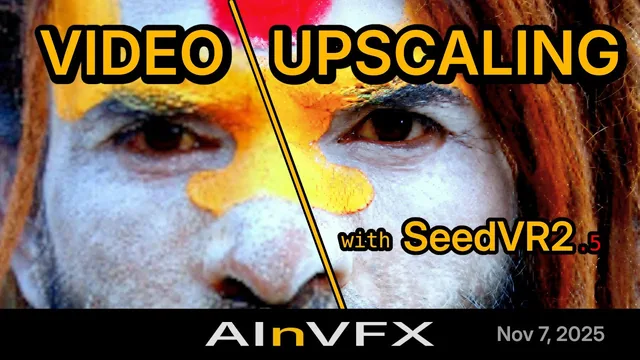
The video runs 3 hours and 40 minutes, with the breaks and waiting times cut. You see the instructor's screen and hear the questions asked during the session.
Chapters
0:00:00 Welcome and the plan of the session.
0:03:05 Setup: the ComfyUI version, Nodes 2.0, Comfy Cloud, and the model downloads, including the gated Klein files.
0:08:49 Three image generators: Z-Image Turbo, MOSS-Image and FLUX 3 Image Klein compared on their strengths, steps and licenses; image sizes in multiples of 16; how to write a prompt for each.
0:25:31 People at work with Z-Image Turbo (exercise 1): the graph and the KSampler settings, one image picked from a batch, a fixed seed, and what one changed word does to the whole image.
0:40:55 MOSS-Image: SFT or Base, skip layer guidance, one scene in four styles (exercise 2), key art with legible text placed by boxes (exercise 3), and why the prompt enhancer stays off with boxes.
1:13:25 Choosing a generator: one caption read by all three models (exercise 4), then closed models against open weights.
1:24:35 Control: Canny and depth passes through a ControlNet, from a grey blockout to two finished frames (exercise 5), then MOSS-Image's colour and depth control and what its training data means for client work (demo 6).
1:45:58 Editing by instruction with Klein: a storyboard doodle turned into a finished frame (exercise 7), a packshot placed by prompt and by box, with a colour match (exercise 8), and one frame relit three ways (exercise 9).
2:11:45 Where the workflows come from: the official templates, an AI agent that builds workflows through the ComfyUI MCP, and what an agent means for client data.
2:20:24 Masks: SAM 3.1 and BiRefNet on a green screen shot, compositing against regenerating, and a low-denoise image to image pass to blend the result (exercise 10).
2:34:40 A graded campaign still: a bicycle removed by inpainting and window reflections removed by Klein, each composited back onto the plate and checked with a difference image (exercise 11).
2:45:44 Image to image: why the denoise moves in plateaus, then a frame extended from 16:9 to 2.39:1 (exercise 12).
2:59:06 Qwen-Image-Edit and its multi-angle LoRA: a character turnaround two ways (exercise 13), then a person placed into a new scene, and when a LoRA is the better answer.
3:19:02 Finishing: restore, regenerate or upscale, with SeedVR2, RealESRGAN and image to image, to deliver a frame at 2K (exercise 14).
3:27:14 Licenses, provenance and the client: what each license allows, where training data comes from, and what to agree with a client; then questions on open video models, AI in VFX production and architectural visualization.
Course materials
The session deck: 53 slides, with every source linked and the download link of every model file.
Fourteen workflow files, one per production case, on ComfyUI's core nodes. Each file makes its own source images, so it runs as is, and most take your own image through a switch.
Good to know
English subtitles are included.
Recorded with ComfyUI as of October 26th, 2026. Later versions may look slightly different.
Prerequisite: a working ComfyUI. The Part 1 recording covers the installation.
Watching needs no GPU. To rebuild the exercises, you need an NVIDIA GPU with at least 16 GB of VRAM and about 82 GB of free disk space for the models, or a Runpod pod. The files also run on Comfy Cloud.
Recording
$199 USD
Recording of a past session
The session's course materials
Standalone purchase, no live attendance needed
Covers a missing prerequisite for a later part
No certificate (live attendees only)
Best for catching up on a past session or covering a prerequisite at your own pace
What Z-Image, FLUX 3 Image Klein, MOSS-Image, Qwen-Image-Edit and SeedVR2 do in ComfyUI, their limits and licences, and how to learn them live on 26 October. Read the article
SeedVR2 v2.5 for ComfyUI: four nodes, GGUF models that run the 7B upscaler on 8 GB GPUs, torch.compile speed-ups and a CLI. What changed and how to use it. Read the article